Facebook & Instagram marketing, built into Hearth.
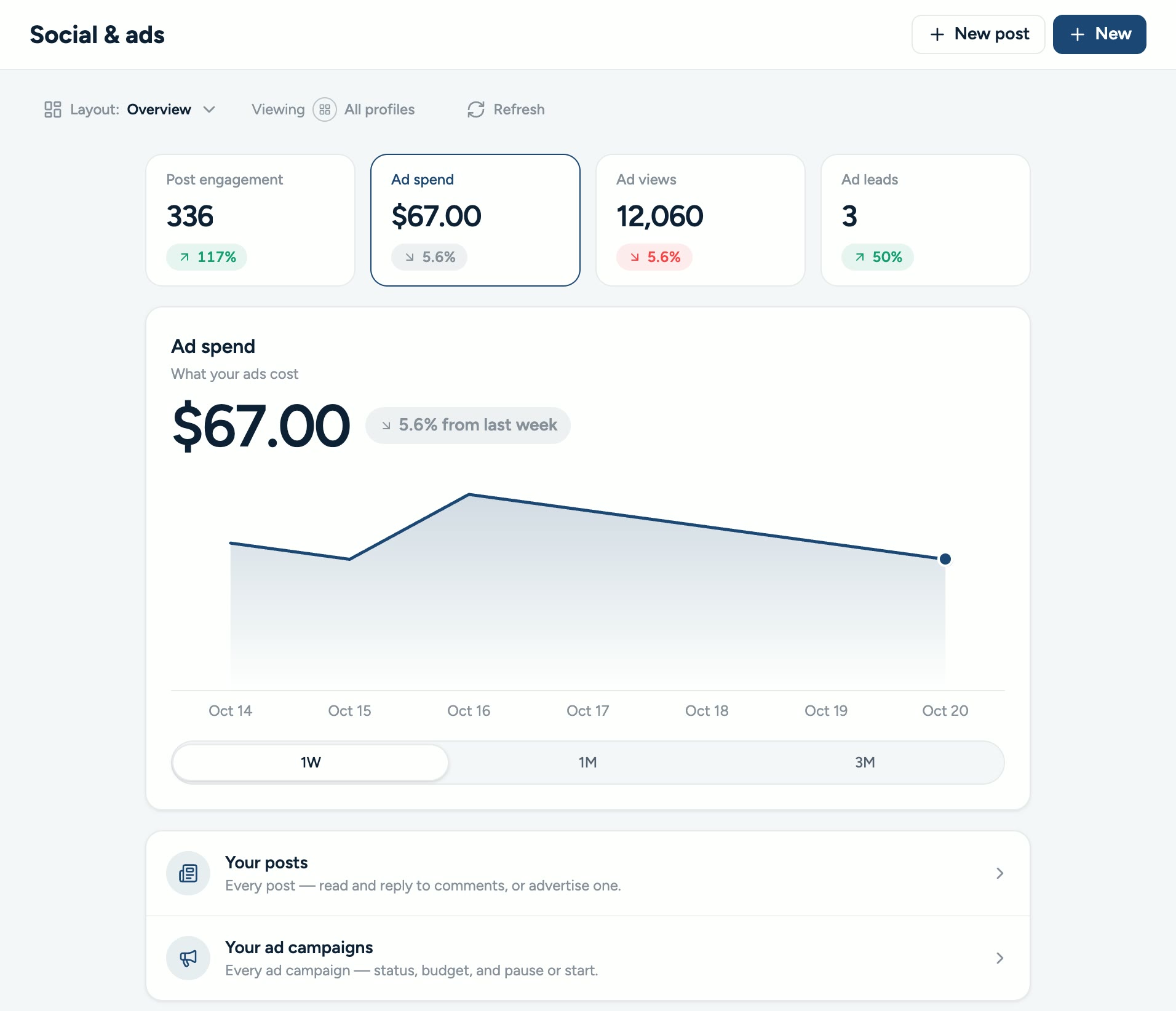
Connect your Facebook Page, Instagram account and Meta ad account to Hearth. Post your project photos, boost the posts that work, track what your ads bring in and answer every comment, from the same app you run your business in.
Your marketing,
inside Hearth.
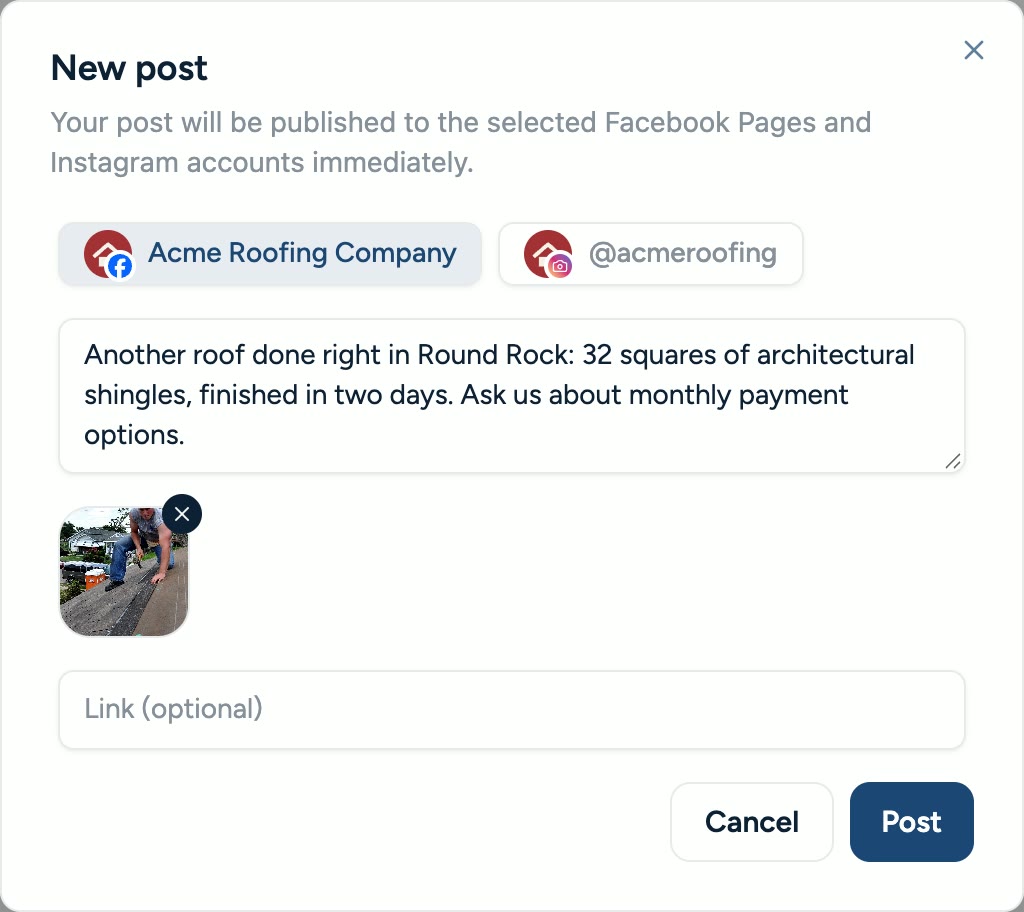
Post every finished job.
Pick a photo from your Hearth gallery or your device, write a caption, and publish to your Facebook Page and Instagram account in one step.
- Use the photos you already took on the job
- Post to your Page, your Instagram account, or both
- See reactions, comments and shares on every post
Boost the posts that work.
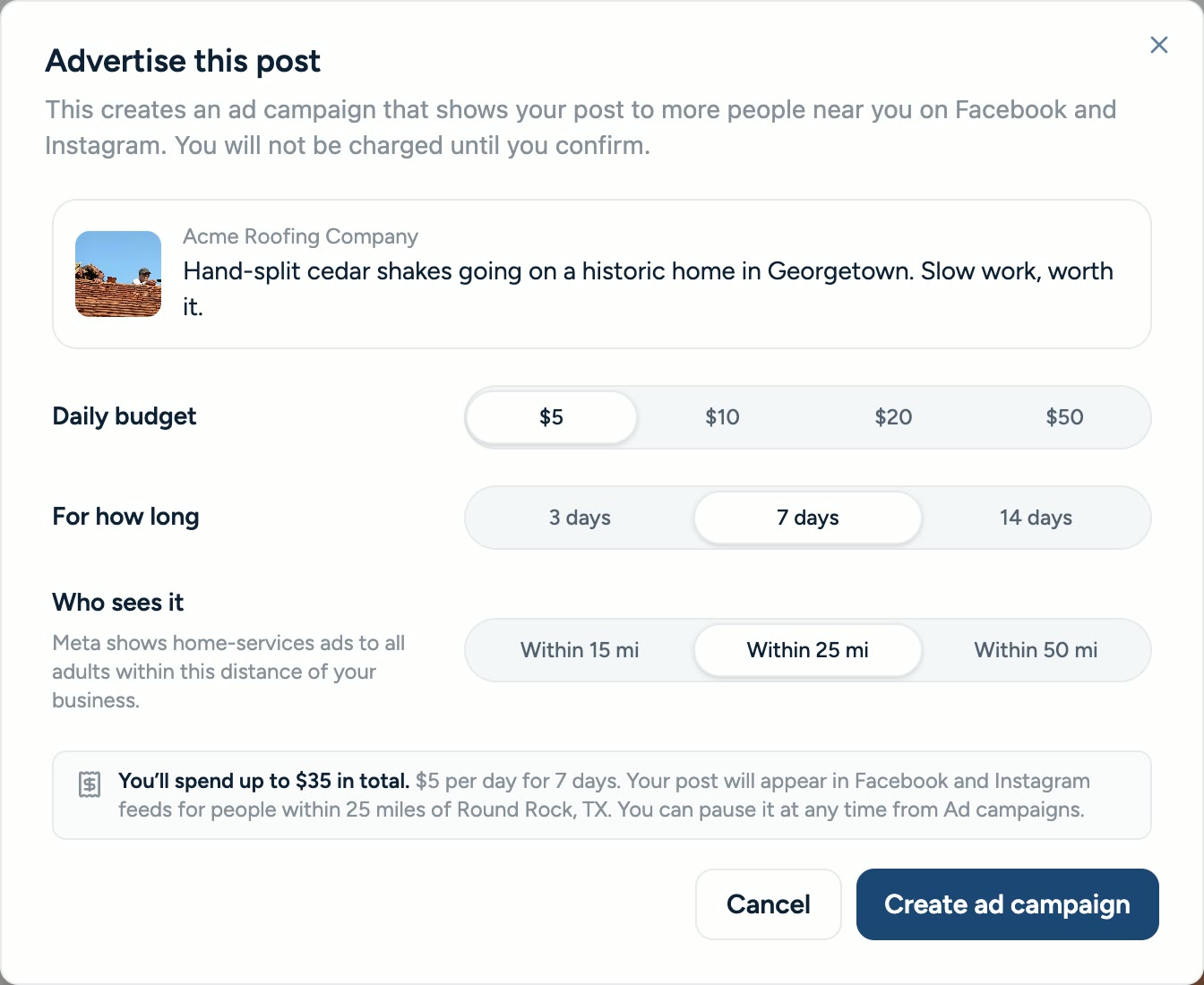
Turn a post into an ad in your own Meta ad account. You choose the daily budget, how long it runs and how far from your business it reaches, and Meta bills the payment method on your ad account.
- Runs in the ad account you already own
- You set the budget, the length and the area
- Turn it off at any time
See what your ads bring in.
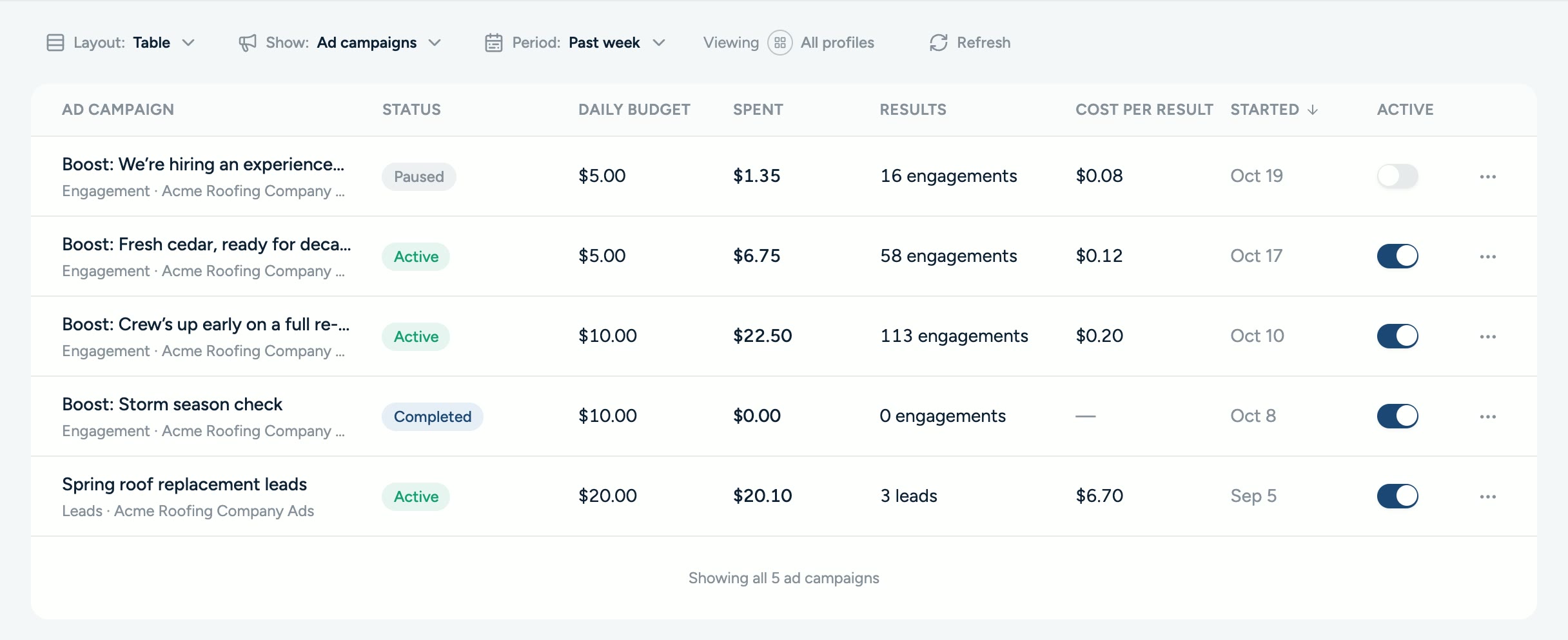
Track spend, ad views, clicks and leads for every campaign, compared with the period before. Pause a campaign or turn it back on without leaving Hearth.
- Every campaign in your ad account in one table
- Spend and results compared with the previous period
- Pause or turn on a campaign in one tap
Answer every comment.
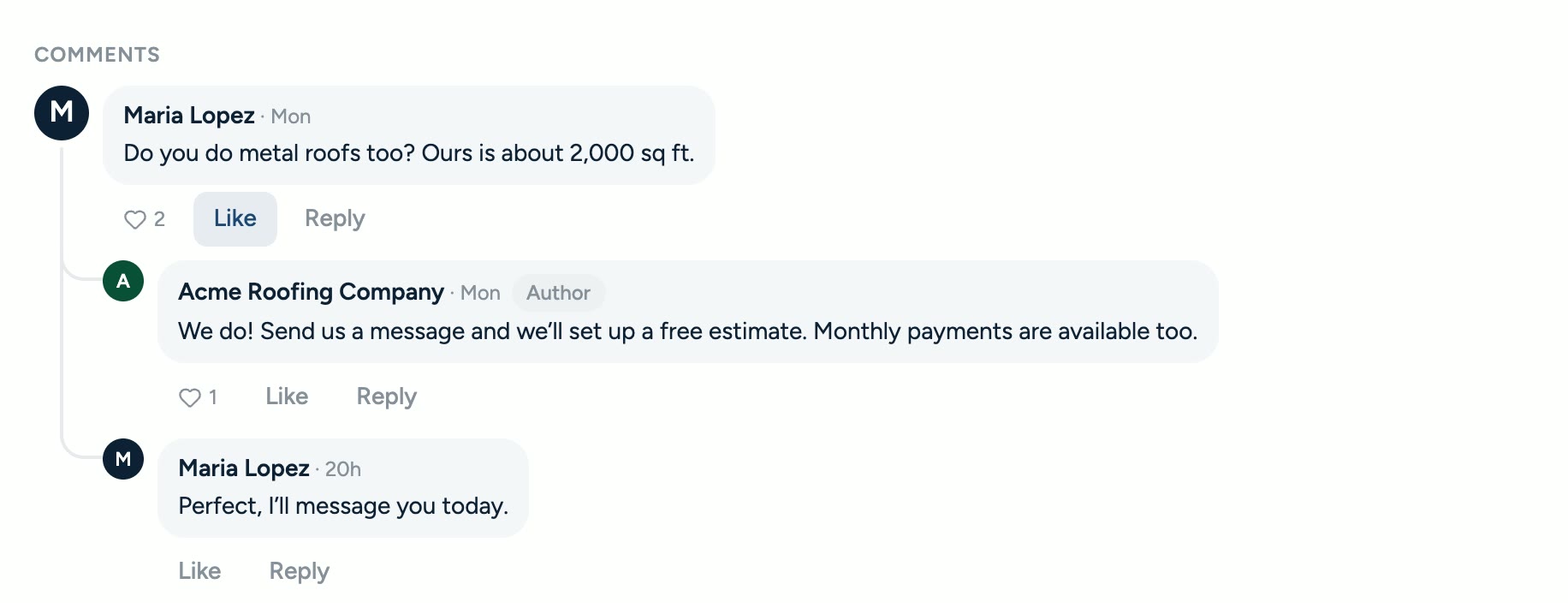
Comments from your Facebook Page and Instagram account show up on the post in Hearth. Reply without switching apps, so a question about a job never goes unanswered.
- Facebook and Instagram comments on each post
- Reply right from Hearth
- Edit or delete a reply after you post it
Three steps.
Your accounts.
Open your Hearth settings.
Go to Settings, then Integrations, and choose Facebook/Instagram. An admin on your Hearth account makes the connection.
Log in with Facebook.
Facebook Login for Business asks which Page, Instagram professional account and ad account Hearth can use. Hearth only works with the ones you pick.
Post, boost and reply.
The Social & ads tab in Hearth fills in with your posts, campaigns and comments, ready to use.
Post it.
Boost it. Done.
Put your best work in front of more homeowners, from the app you already use to quote, finance and get paid.